Take Control of Your Billable Hours with TimeKeeper Pro
TimeKeeper Pro is a floating desktop time tracker and billing app for Windows. For example, whether you work inside Adobe Illustrator, Photoshop, VS Code, or manage client tasks in a browser, it stays pinned right over your workspace. As a result, your project time, running costs, and billing sessions stay visible without cluttering your screen.
To begin, you can start with the Free Edition for daily time tracking. However, when you need more, step up to TimeKeeper Pro for a complete commercial toolkit that helps stop unbilled scope creep.
Windows 10 / 11 (64-bit) • Single-user commercial licence – use on up to 2 of your own computers (e.g. desktop + laptop)
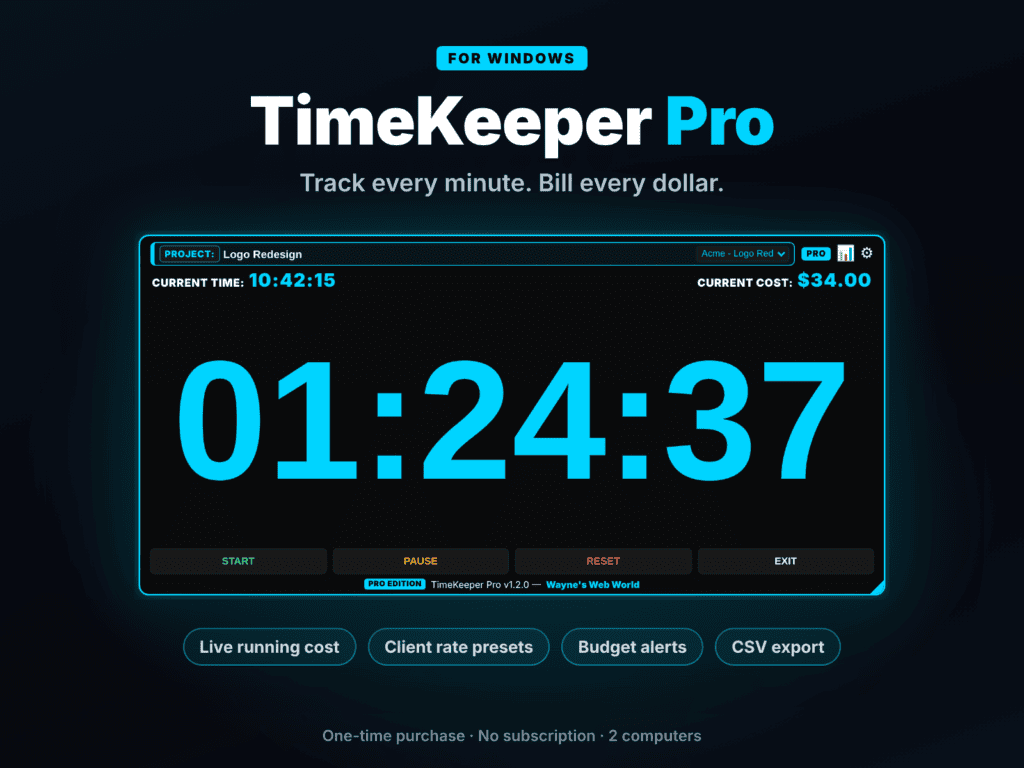
A clean, high-contrast desktop overlay that floats above your active design apps. In addition, it features live session tracking, current system time, real-time cost accumulation in your chosen currency, and instant project preset switching.
TimeKeeper Pro adds the tools freelancers need to protect their income. Because every minute counts, here is what you get when you upgrade.
| Feature / Capability | Free Edition | Pro Edition |
|---|---|---|
| Core Stopwatch & Session Timer | Included | Included |
| Floating Always-on-Top HUD Display | Included | Included |
| Custom Accent Themes & Opacity Control | Included | Included |
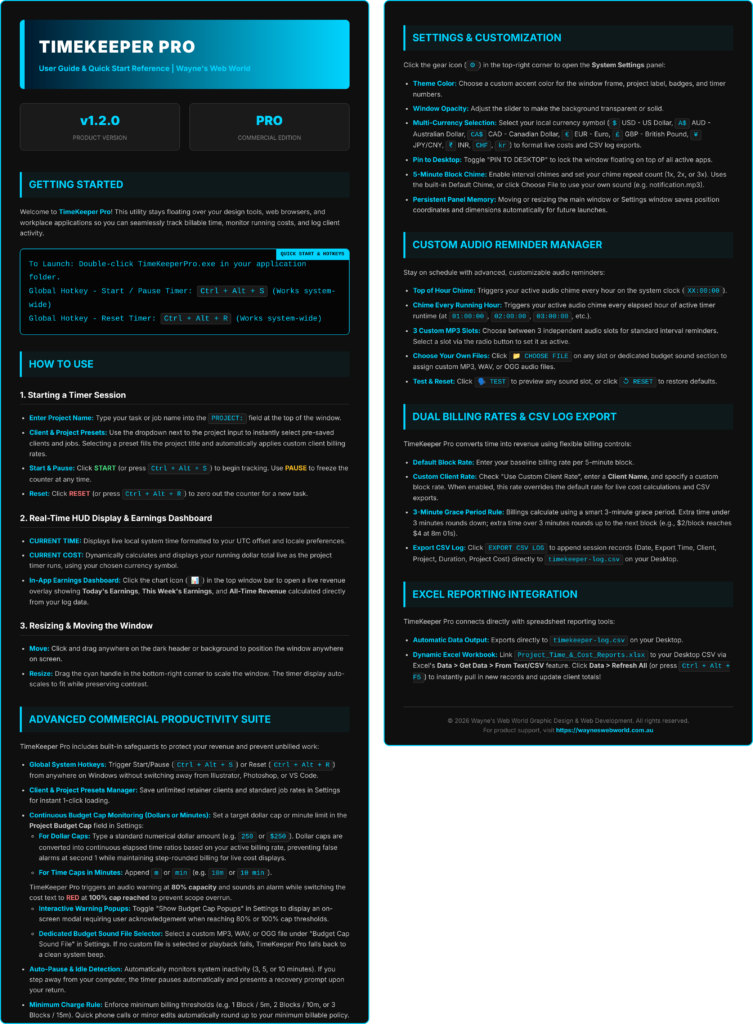
| 5-Minute Interval Audio Chimes | Standard Chime | Top/Running Hour + 3 Custom MP3 Slots |
| Global Windows Hotkeys | Manual Click | Included (Ctrl + Alt + S / R) |
| Live HUD Running Cost Display | Included (Standard Rate, Multi-Currency) | Included (Custom Client Rates, Multi-Currency) |
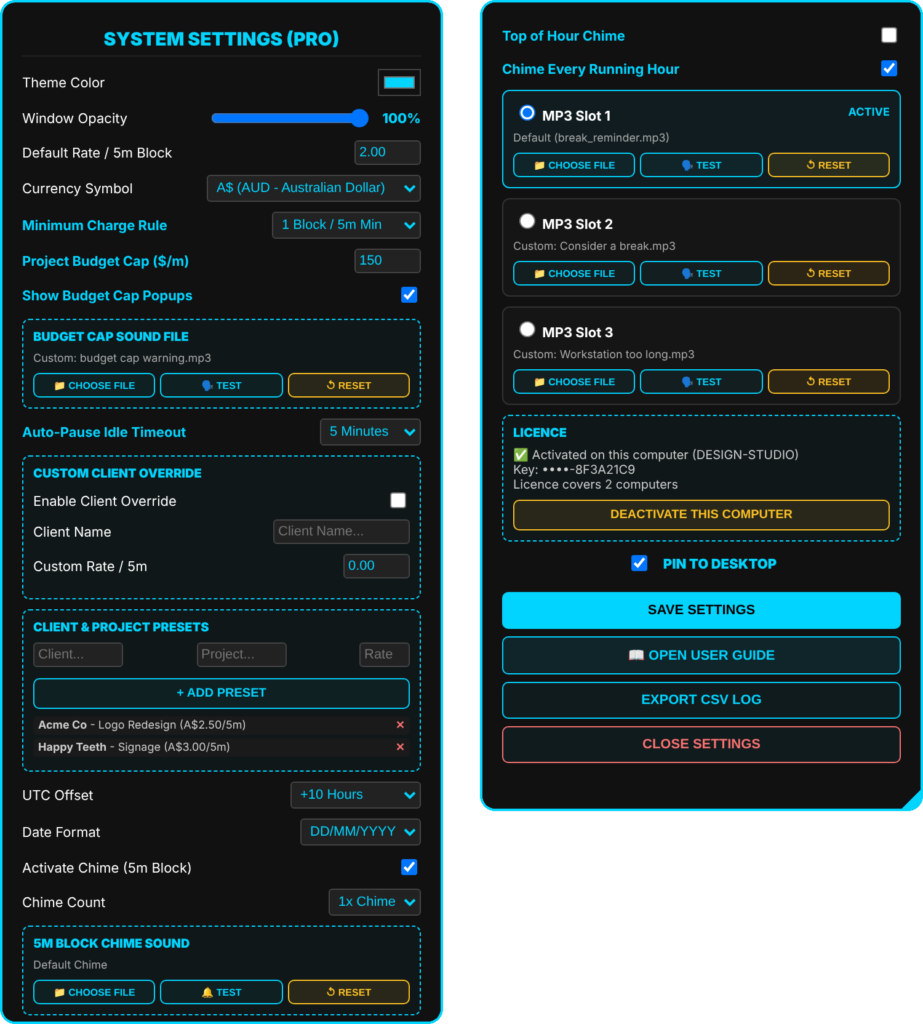
| Continuous Budget Cap Safeguards | — | Included (80% & 100% Dollar/Minute Alerts) |
| Custom Audio File Selector | — | Dedicated MP3/WAV/OGG Picker + System Beep |
| Auto-Pause Idle Detection | — | Included (3m, 5m, or 10m Inactivity Triggers) |
| Client & Job Presets Manager | — | Included (1-Click Rate & Task Loading) |
| Minimum Charge Billing Rules | — | Included (Enforce 5m, 10m, or 15m Min Blocks) |
| Custom Client Rate Overrides | — | Included |
| In-App Revenue Dashboard | — | Included (Today, This Week, All-Time Totals) |
| Direct CSV Export & Excel Sync | — | Included (timekeeper-log.csv + Excel Workbook) |
On the other hand, just need the basics? Try TimeKeeper Free →