TimeKeeper Free – Keep Your Billable Hours Visible & In Control
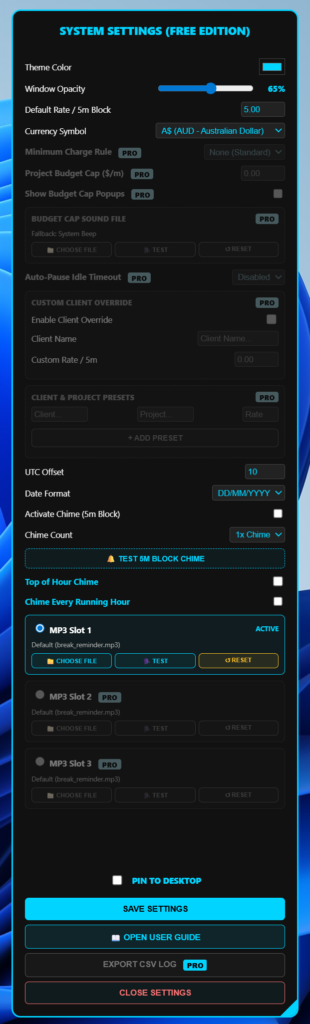
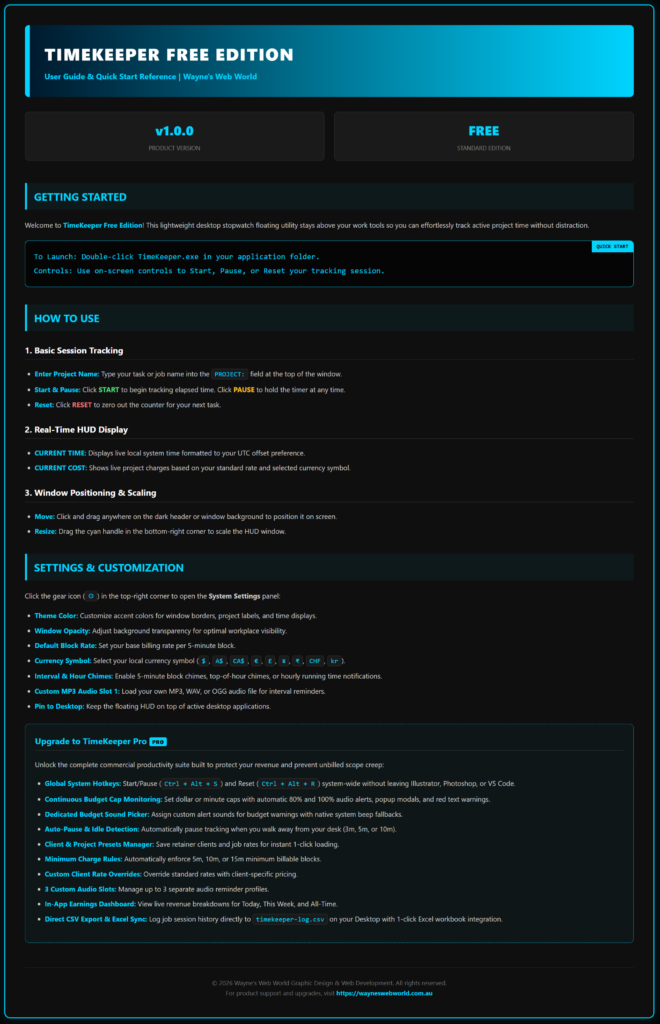
TimeKeeper Free is a free floating time tracker for Windows. Moreover, it is built for freelancers, graphic designers, web developers and remote workers. For example, whether you work in Adobe Illustrator, Photoshop, VS Code or a web browser, it stays pinned right over your workspace. As a result, your time and running cost are always in view.
You also get essential time tracking with no subscription fees and no account setup. Then simply download TimeKeeper Free, launch it on Windows 10 or 11, and start logging billable work straight away. However, if you need more, you can step up to TimeKeeper Pro at any time.
Windows 10 / 11 (64-bit) • Portable app – no installation needed • Free personal licence
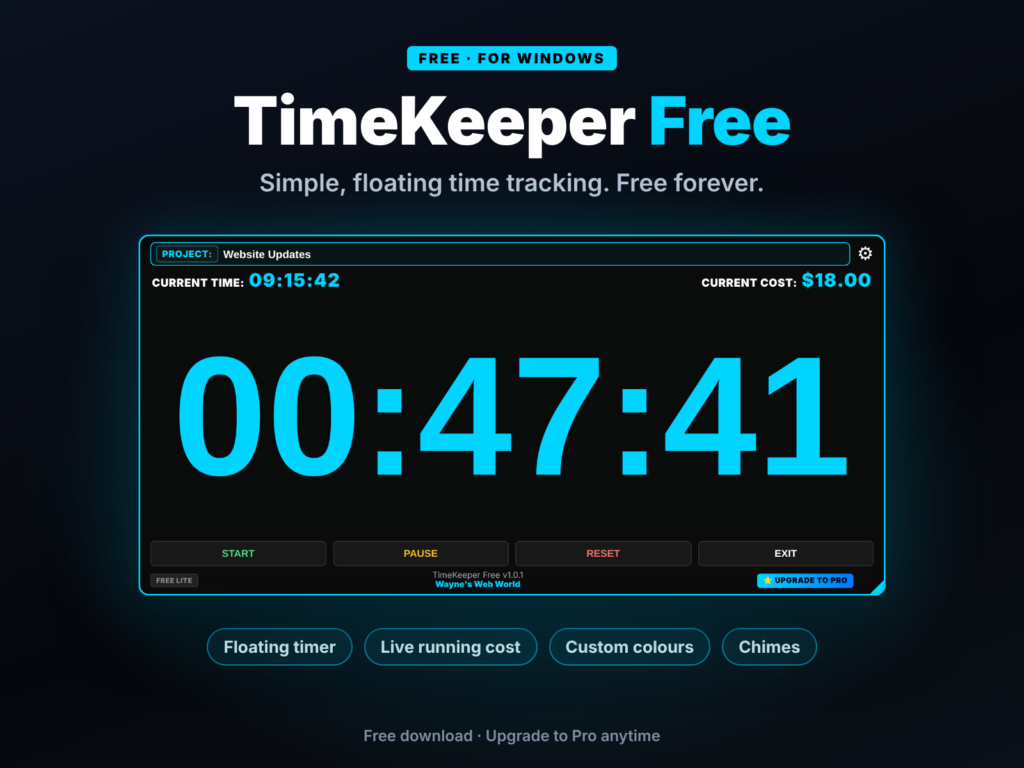
Above all, it is a compact, high-contrast floating timer that sits above your active design apps. In addition, it shows live session tracking, current system time, a live running cost based on your 5-minute block rate, multi-currency symbols, and optional 5-minute interval chimes.
| Feature / Capability | Free Edition | Pro Edition |
|---|---|---|
| Core Stopwatch & Session Timer | Included | Included |
| Floating Always-on-Top HUD Display | Included | Included |
| Custom Accent Themes & Opacity Control | Included | Included |
| 5-Minute Interval Audio Chimes | Standard Chime | Top/Running Hour + 3 Custom MP3 Slots |
| Global Windows Hotkeys | Manual Click | Included (Ctrl + Alt + S / R) |
| Live HUD Running Cost Display | Included (Standard Rate, Multi-Currency) | Included (Custom Client Rates, Multi-Currency) |
| Continuous Budget Cap Safeguards | — | Included (80% & 100% Dollar/Minute Alerts) |
| Custom Audio File Selector | — | Dedicated MP3/WAV/OGG Picker + System Beep |
| Auto-Pause Idle Detection | — | Included (3m, 5m, or 10m Inactivity Triggers) |
| Client & Job Presets Manager | — | Included (1-Click Rate & Task Loading) |
| Minimum Charge Billing Rules | — | Included (Enforce 5m, 10m, or 15m Min Blocks) |
| Custom Client Rate Overrides | — | Included |
| In-App Revenue Dashboard | — | Included (Today, This Week, All-Time Totals) |
| Direct CSV Export & Excel Sync | — | Included (timekeeper-log.csv + Excel Workbook) |
Also need budget alerts, global hotkeys, client presets or CSV/Excel export? See TimeKeeper Pro →