
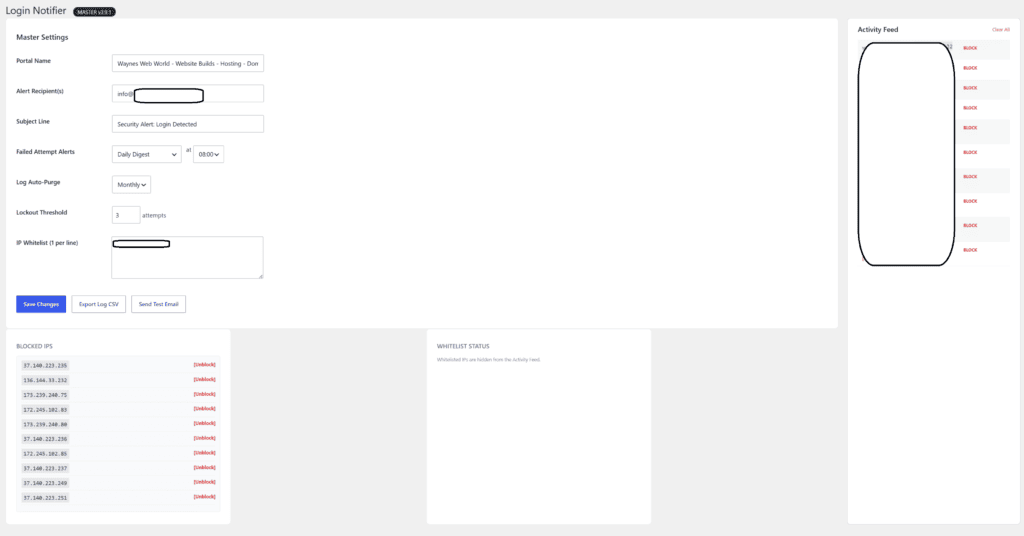
 Why use Wayne’s Web World Login Notifier?
Users with Administrator role set can delete your entire website.
• In cleaning malware from WordPress websites, I find hackers often gain access by signing in through a stolen or guessed at Administrator account password.
Stop the hackers before steal your breakfast.
• With notification of each Administrator account login emailed to you, you may be able to take action before hackers edit or delete your content.
With Wayne’s Web World Login Notifier, tailored to admin notification only, you’ll have a professional login notification system in place in seconds
Description
WordPress User Login notifier plugin notifies site admin and the users on a WordPress site when a user logs in succesfully or the login attempt is failed.
Features
Notify site admin of a user login
Notify the user of their successful login to a site
Notify Site admin when a user login attempt is failed
Notify User when his/her account login is failed
Admin can setup if the user gets notified or not from the settings page
The purpose of this plugin is to keep track of all the successful and failed login attempts on a WordPress Site.
………………………………………………………….
Installation
Login to dashboard & click Add New Plugin
Search for ‘waynes-web-world-login-notifier’
Click Install & Then activate
Download the zip file
Extract the zip file
Upload waynes-web-world-login-notifier folder to the /wp-content/plugins/ directory
Activate “waynes-web-world-login-notifier” plugin through the ‘Plugins’ menu in WordPress
Visit Settings.